TVPaint Animation 12 Released in the last year a go ! After a long wait of several years, the anticipation has finally come to an end! This new version of TVPaint comes with numerous new features and improvements. In this article, we will review the details of this update and the overall features of the software.
TVPaint Animation is a professional 2D animation software widely used in the animation industry and digital design. It offers extensive capabilities for producing both traditional and digital 2D animations. Initially developed as a tool for 2D drawing and animation in artistic, television, and cinematic environments, TVPaint has now become one of the most popular applications in this field.
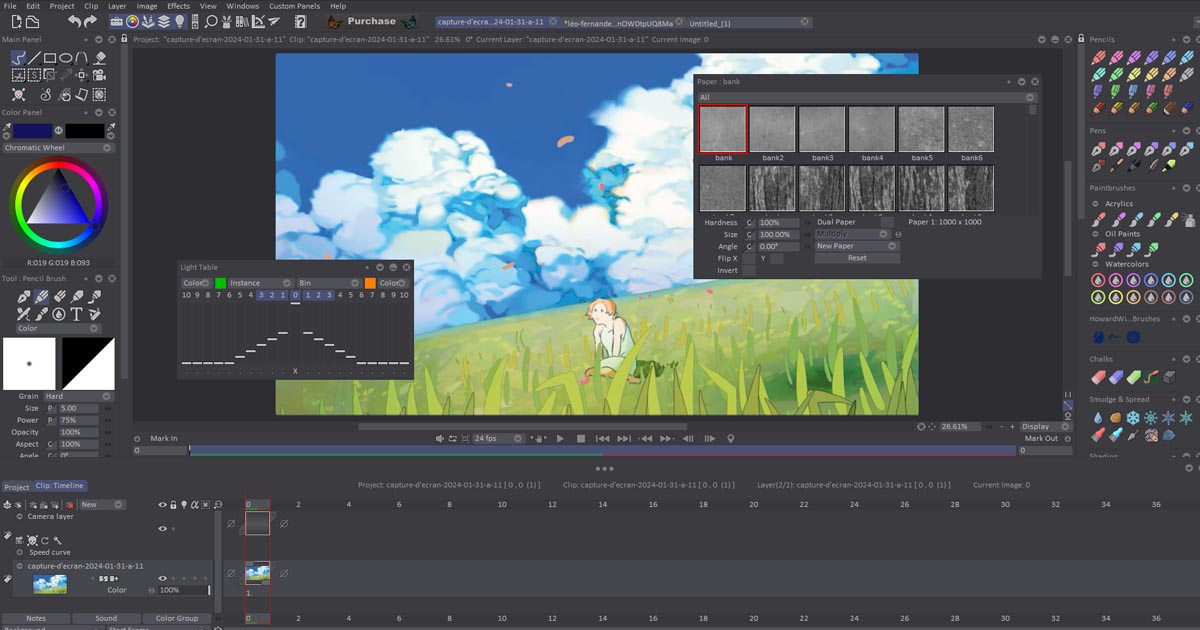
TVPaint Animation Professional Edition is a high-performance pixel-based (raster) design program that emphasizes animation and visual effects. It combines all the essential and traditional features, including:
-
Unlimited drawing tools
-
Light table
-
Advanced animation tools
-
Dubbing/Lip-sync support
-
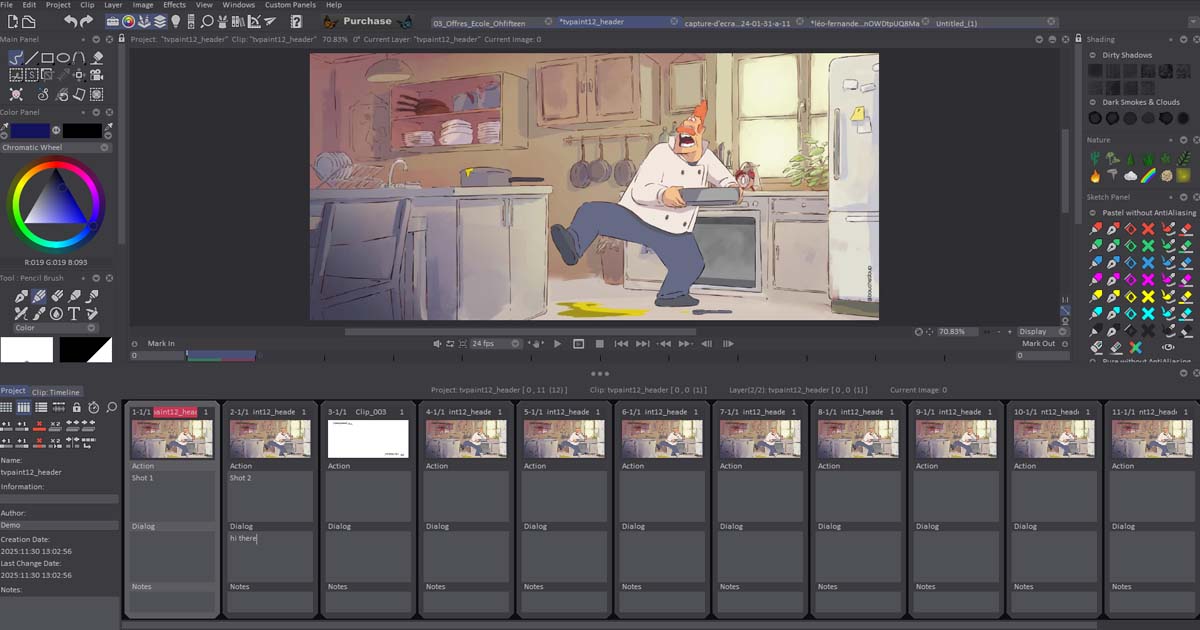
Storyboard/Xsheet
-
Multiplane camera
-
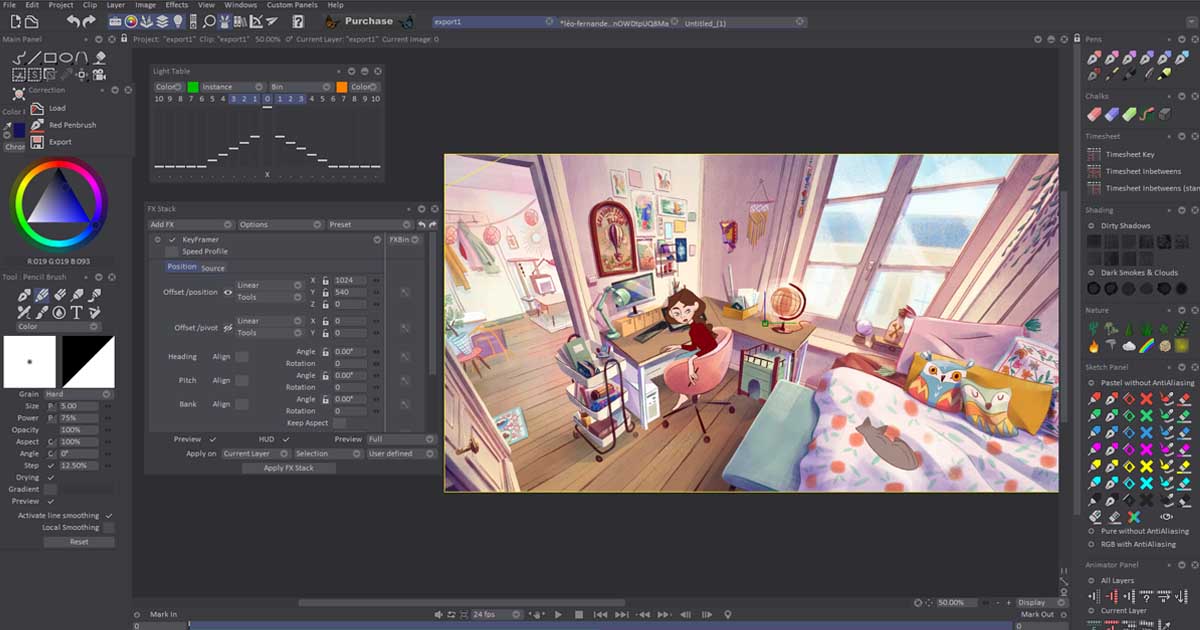
Various visual effects, from basic (blur, color adjustment, motion) to complex (keyframing, particle effects, etc.)
The TVPaint interface is highly customizable, allowing users to assign nearly any function to shortcuts, save brush presets, create scripts, and optimize workflows.
It is important to note that current versions of TVPaint do not include conventional 3D tools or vector-based drawing capabilities, highlighting the developers’ focus on frame-by-frame traditional animation. These features may or may not be added in future updates.
Why Choose TVPaint for 2D Animation?
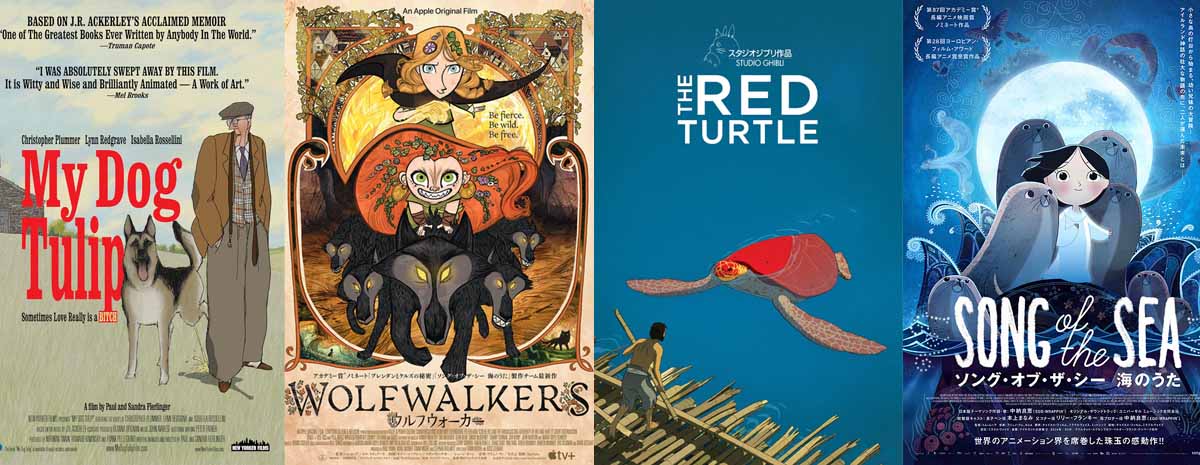
TVPaint is a professional-grade software for hand-drawn, raster-based 2D animation, trusted by studios worldwide for shorts, series, and even feature films. Whether you’re a beginner or an aspiring animator, TVPaint provides the perfect balance of ease-of-use and powerful tools.
With TVPaint, you can:
-
Draw frame-by-frame with complete control, using realistic digital brushes that mimic pencils, pens, and watercolor.
-
Experiment with any artistic style cartoon, realistic, or experimental thanks to advanced brushes and textures.
-
Use layering, blending, and onion-skinning to fine-tune every motion and color detail.
-
Work on high-resolution projects up to 4K or higher and integrate seamlessly with VFX and compositing software like After Effects or Nuke.
By focusing on true hand-drawn animation, TVPaint lets you create high-quality, painterly animations while learning the core principles of 2D animation. It’s not just a tool it’s a gateway to professional animation workflows, making it the ideal choice for anyone serious about mastering 2D animation.
Key Features of TVPaint Animation
-
Hand-drawn animation: Users can create frames and images manually using digital pens and other tools.
-
Layer support: The software allows multiple layers to create complex animations.
-
Advanced drawing capabilities: Tools such as brushes, pencils, sprays, and other advanced tools enable high-detail animations.
-
Support for motion frames: Users can create sequential frames and preview animations in real-time.
-
Raster image support: TVPaint uses raster images instead of vector graphics, producing classic and natural animation styles.
-
Professional animator-friendly: Designed for animators who want a fully flexible environment without the limitations of standard digital animation tools.
Summary:
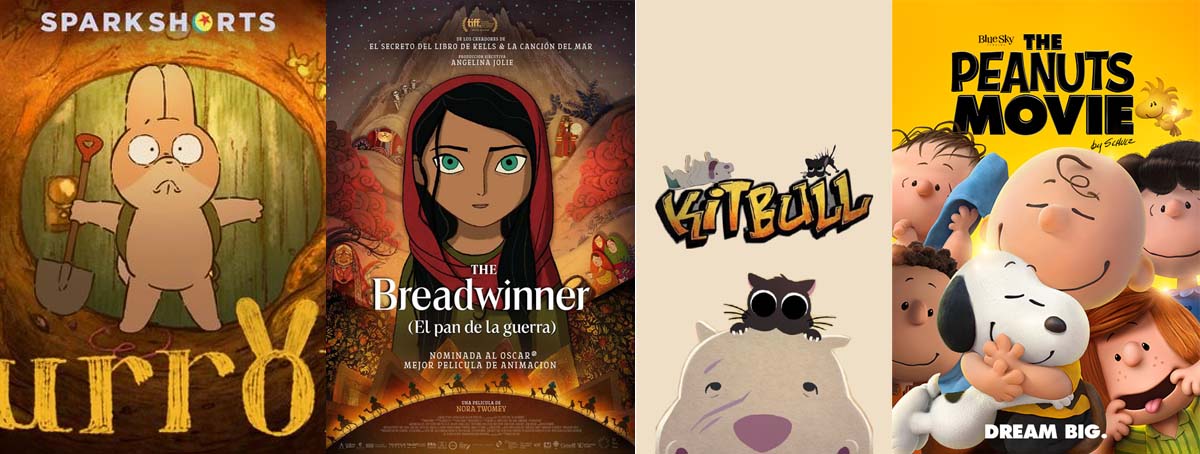
TVPaint Animation is one of the most powerful and recognized 2D animation software tools, especially for traditional frame-by-frame animation. It provides professional and advanced tools for animators aiming to create high-quality hand-drawn animations, making it a preferred choice in traditional animation studios.
Why TVPaint Uses a Raster-Based Approach
TVPaint Animation offers capabilities that are difficult to achieve in vector-based software due to its raster nature. The key reasons include:
Technical Reasons:
-
Raster Image Processing: TVPaint works pixel by pixel, allowing artists to work with greater texture and fine detail. This is especially important for character design and animation.
-
Natural Motion: Raster-based tools often produce more organic and fluid movements in animation because artists can precisely control lines, shading, and brush strokes.
-
Specialized Tools: TVPaint provides a variety of drawing and painting tools specifically optimized for raster techniques, ideal for frame-by-frame animation.
Advantages and Disadvantages:
Raster Advantages:
-
Precise control over detail and texture
-
Superior performance for artistic techniques such as watercolor or oil painting
Raster Disadvantages:
-
Scaling up can result in loss of quality
-
Higher system requirements for processing high-resolution images
Vector Advantages:
-
Infinite resolution without quality loss
-
Easy scaling, ideal for graphic design and logos
Vector Disadvantages:
-
Limited ability to create complex textures and fine details
-
Animation often requires special techniques, which can be time-consuming
Conclusion:
For these reasons, TVPaint is recognized as a raster-based software, specifically tailored to meet the unique needs of animators and digital artists.
Let’s take a closer technical look at TVPaint and its role in raster / hand-drawn animation, and see how it compares to other software:
Why TVPaint Excels at Raster Animation
True Raster-Based Workflow
TVPaint is designed entirely around raster graphics, unlike Toon Boom Harmony, which focuses more on vectors.
Each frame is stored and edited pixel by pixel, preserving fine linework and color details.
This makes it ideal for hand-drawn animation that requires natural brush strokes, textures, and organic color.
Full Access to Classic Animation Tools
The software offers digital brushes, pencils, and watercolors with realistic physics and responsiveness, mimicking the experience of working on paper.
It supports frame-by-frame animation, onion skinning, and reference layers for precise control over motion.
Advanced layering, blending modes, and opacity controls give animators full control over the final image.
Support for Various Artistic Styles
Whether you’re creating cartoon, realistic, or experimental animation, TVPaint handles it effortlessly.
Customizable brushes and texture overlays help give each piece a natural, hand-crafted look.
Professional Workflow Support
TVPaint includes tools for basic compositing, color correction, and exporting in multiple formats without relying on external software.
It also integrates with professional VFX and compositing tools like After Effects or Nuke.
Is It the Best?
-
For traditional / raster / hand-drawn animation: Yes, TVPaint is nearly unmatched. No other software offers this level of raster control, brush realism, and professional workflow.
-
For vector or fast commercial animation: Not necessarily. Toon Boom Harmony and Adobe Animate are more optimized for speed and vector-based workflows.
Summary: If your goal is to create high-quality hand-drawn animation with precise linework, rich colors, and full creative freedom, TVPaint is almost unrivaled.
However, if you need vector animation, advanced rigging, or faster production pipelines, Harmony is the better choice.
Can TVPaint Users Create High-Quality, Cinematic Animation?
Yes! Animators working with TVPaint can absolutely produce high-quality and even cinematic hand-drawn animation. However, in practice, most studios use a combination of tools. Here’s a detailed breakdown:
1. TVPaint’s Capabilities for Cinematic Animation
-
Full Frame-by-Frame Control: Every frame can be meticulously adjusted for lines, colors, and shading—essential for cinematic-quality animation.
-
High-Resolution Support: TVPaint handles large projects at 2K, 4K, or higher resolutions.
-
Advanced Coloring and Blending Tools: Artists can add complex lighting and textures to each frame, replicating the feel of traditional painting.
-
Internal Layering and Compositing: Multiple layers, simple effects, and color adjustments can be combined directly in TVPaint without exporting to other software.
2. Why Studios Still Combine Tools
-
Professional VFX and Compositing: For complex effects, lighting, and multi-element integration, software like Nuke, After Effects, or Fusion is often used alongside TVPaint.
-
Sound and Editing: Final audio, music, and editing are usually done in Premiere, DaVinci Resolve, or Avid.
-
Professional Color Grading: While TVPaint offers basic color tools, cinematic color grading typically relies on dedicated software.
-
Rigging and Hybrid Animation: For fast character motion or combining vector and raster elements, some teams use Toon Boom Harmony or Spine for specific parts of the project.
Summary
-
TVPaint alone is sufficient for creating cinematic hand-drawn animation, especially when the goal is a textured, painterly style.
-
In practice, most cinematic projects use a combination of software to ensure both high visual quality and an efficient production workflow.
-
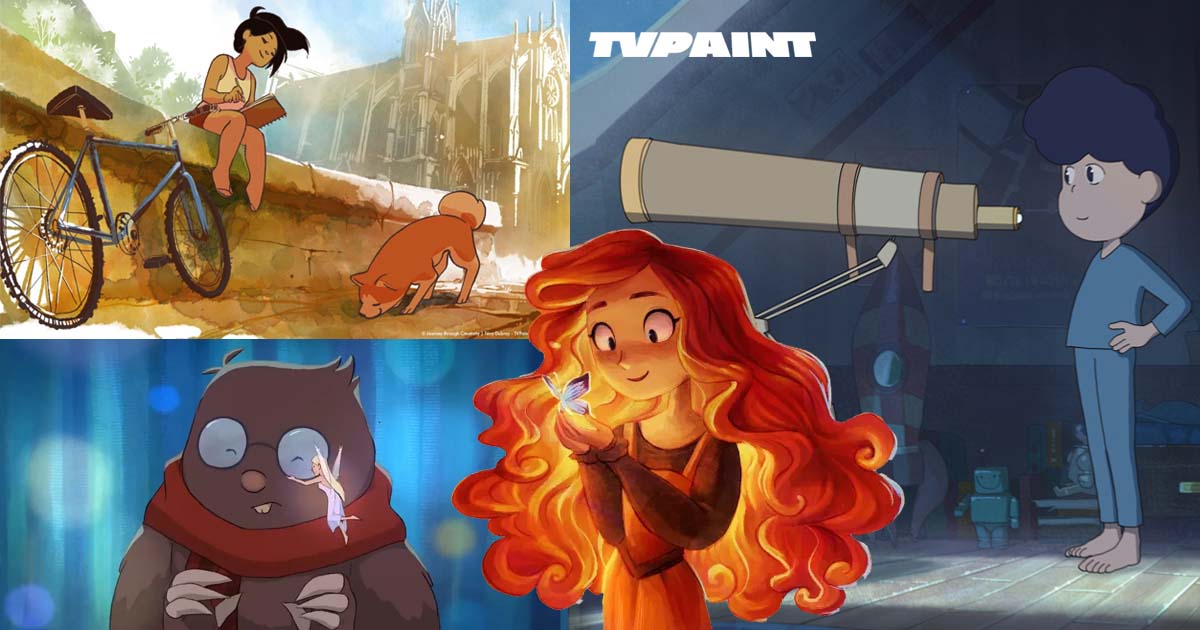
Conclusion: TVPaint is a primary, unmatched tool for raster-based cinematic animation, though certain workflow components are often completed with complementary software.
Key Features and New Updates in TVPaint Animation
1. Modular User Interface (UI)
TVPaint now offers a modular UI, allowing users to customize panels and tools for an optimized workspace. This is especially useful for professionals who need a personalized workflow.
Benefits of Modular UI:
-
Flexibility: Users can move and arrange UI panels, toolbars, and windows freely.
-
High Customization: Frequently used tools can be prioritized, while less-used ones can be hidden.
-
Efficiency: Quick access to essential tools improves workflow speed.
-
Independent Modules: Each module operates independently, so updating one does not affect others, making the software easily expandable.
-
Multiple Workspaces: Users can create different environments for design, animation, rendering, or editing tasks.
Examples in Other Software:
-
Graphic design software like Adobe Photoshop and TVPaint itself use modular designs.
-
Digital Audio Workstations (DAWs) like Ableton Live and FL Studio also employ modular interfaces, allowing users to configure mixers, effects, and other components.
2. Advanced Hand-Drawn Animation Tools
TVPaint provides professional tools for frame-by-frame animation, enabling animators to create highly detailed and natural-looking movements.
3. Brush Variety and Custom Brushes
TVPaint supports a wide range of brushes, including default brushes and custom user-created brushes. This allows precise control over the style and texture of the animation.
4. Rigging and Puppet Tools
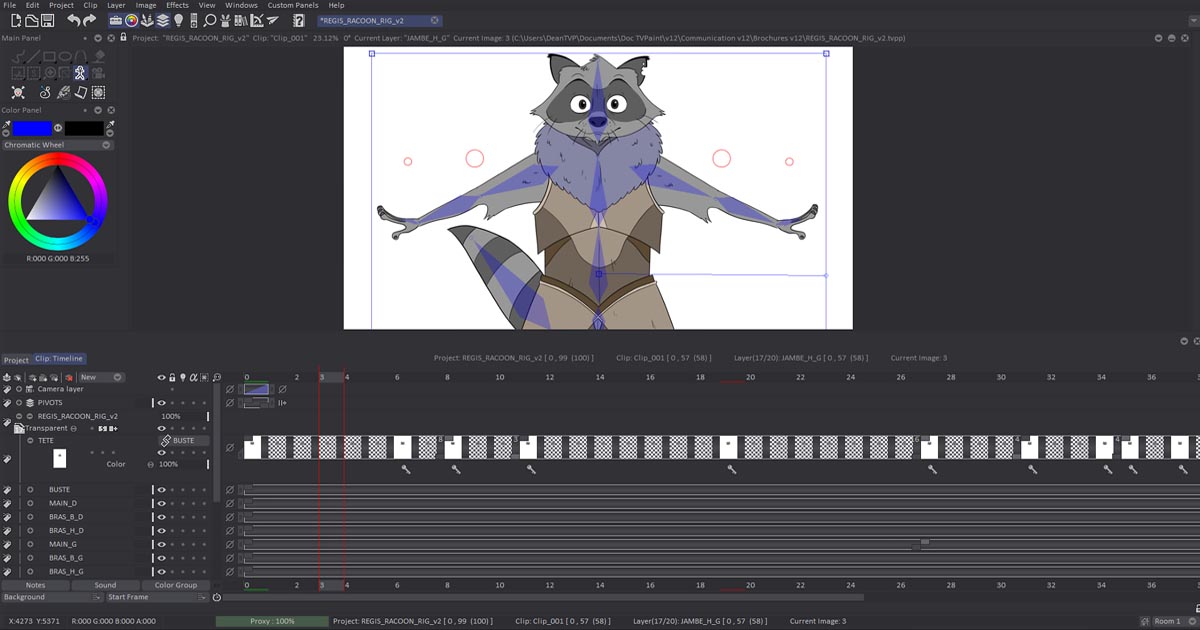
Recent versions of TVPaint include rigging tools for digital puppets, enabling animators to move individual parts of a character or object independently.
TVPaint 12 Highlights:
-
Bitmap Rigging Engine: Supports puppet creation and animation in 2D.
-
Time-saving Automation: Automatic creation of puppet components (“in-bits”) reduces manual labor and accelerates production.
Summary:
The latest updates in TVPaint Animation make it a powerful tool for professional 2D animators, combining traditional hand-drawn animation capabilities with modern workflow optimizations. Modular UI, advanced hand-drawn tools, customizable brushes, and puppet rigging empower artists to create complex animations efficiently while maintaining complete creative control.
Advanced Features of TVPaint Animation (Including Puppet Rigging and New Tools)
1. Puppet Rig / 2D Rigging
In TVPaint, puppet rigging allows animators to create a skeleton or movable structure for 2D characters or objects. This enables smooth and natural movement without manually drawing every frame. Although TVPaint is primarily designed for traditional frame-by-frame animation, puppet rigging tools allow:
-
Independent movement of character parts.
-
Easier animation of complex poses and sequences.
-
Faster production workflow for repetitive movements.
This is conceptually similar to 3D rigging but adapted for 2D workflows.
2. Layer and Folder Management
TVPaint allows detailed layer management and organization into folders. Benefits include:
-
Better organization of complex projects.
-
Easier control over multiple animation elements.
-
Streamlined workflow for layered compositions.
3. Advanced 2D Camera
The software includes a 2D camera system that enables realistic and precise camera movements, enhancing the cinematic feel of animations.
4. Video and External File Support
TVPaint allows importing video and external files, which is especially useful for:
-
Cut-out animation.
-
Reference material integration.
-
Combining live-action footage with 2D animation.
5. Cross-Platform Compatibility
TVPaint runs natively on Windows, macOS, and Linux, and the latest versions support ARM-based Macs, ensuring broad compatibility for studio environments.
6. Color & Texture Generator (CTG) Layers
CTG layers simplify and accelerate coloring and texturing, providing:
-
High-precision color application.
-
Efficient workflow for detailed animations.
7. Export Flexibility & Interoperability
Projects can be exported in various formats, and the TVPaint Converter allows seamless integration with other animation software, supporting collaborative workflows.
8. Tool Overhaul & Improved Algorithms
TVPaint 12 features fully rewritten and enhanced tools, including new transformation algorithms that preserve image quality during scaling, rotation, and other adjustments.
Summary:
TVPaint Animation 12 combines traditional 2D hand-drawn workflows with modern tools such as puppet rigging, advanced cameras, CTG layers, and improved transformation algorithms. These features provide animators with precise control, enhanced efficiency, and compatibility with other software, making TVPaint a versatile tool for professional 2D animation pipelines.
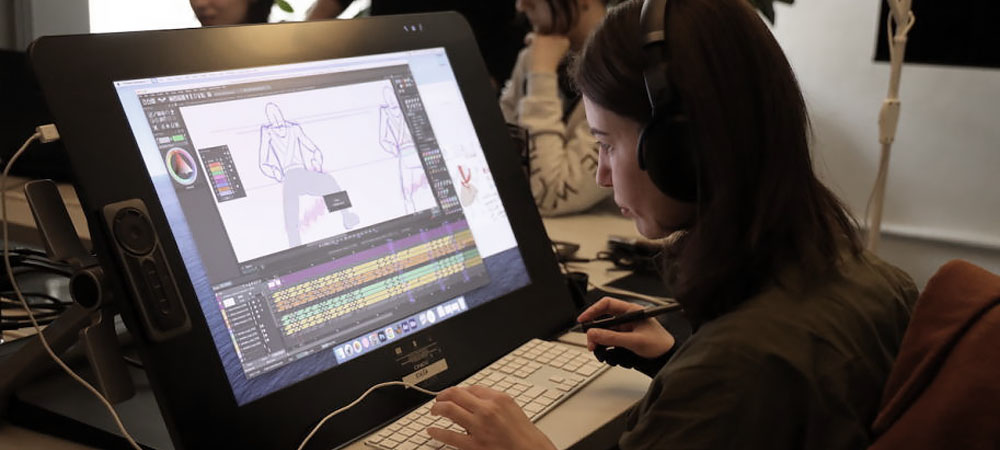
Applications and Advantages of TVPaint Animation
1. Traditional Frame-by-Frame Animation
TVPaint is the preferred tool for many traditional animators, enabling high-quality, frame-by-frame 2D animation with precise control over every movement and detail.
2. Film and TV Production
The software is widely used in feature films and television projects, providing the tools necessary to produce professional-quality animations suitable for broadcast and cinematic releases.
3. Team-Friendly Workflow
With advanced layer and folder management, TVPaint supports collaborative workflows, making it suitable for teams working on complex animation projects.
4. Customization
The modular interface and customizable tools allow animators to tailor the workspace to their specific needs, improving efficiency and comfort during production.
Summary:
TVPaint Animation offers a comprehensive solution for professional 2D animation, combining traditional hand-drawn workflows with modern features such as puppet rigging, advanced 2D camera, fast coloring tools, and multi-platform support. It empowers animators to create high-quality, expressive, and creative animations efficiently, whether working solo or as part of a team.
TVPaint Animation 12 – Key Fixes and Improvements
Rigging System Enhancements:
Drawing on extended bones no longer causes artifacts.
-
Artifact Display refers to visual errors or unintended anomalies that appear during processing, rendering, or editing of digital images, videos, or animations. Artifacts can arise from technical processes, algorithmic limitations, compression, or hardware constraints. In animation and computer graphics, artifacts often indicate issues in motion simulation or rendering that affect visual fidelity.
Camera System Improvements:
The memory leak issue that could occur during camera playback has been resolved.
-
A memory leak occurs when a software application incorrectly manages system memory, failing to release unused memory back to the system. This can gradually reduce available memory, causing slow performance, crashes, or system instability. Fixing memory leaks ensures smoother performance, especially in complex animation projects that utilize multiple layers and camera moves.
TVPaint Animation 12 – Timeline & UI Improvements
Timeline Enhancements:
-
Crashes that occurred when performing Undo/Redo operations during layer creation have been fixed.
-
Copying and pasting a folder from one clip to another no longer causes crashes.
-
When using video input, selecting the Append Length option now correctly applies to the first recorded frame.
-
Merging two or more layers inside a folder now keeps the merged layer within the same folder. (Standard edition only)
-
Layer handles are now properly displayed again.
User Interface & Panels Improvements:
-
Fixed issues where pop-ups for Background and Start Frame would not appear or be misaligned after moving the timeline from the main window.
-
Fixed the issue where blending modes were not displayed correctly during playback.
Visual and Intuitive Tools in 2D Animation (TVPaint Animation)
Visual and intuitive tools are features that distinguish TVPaint Animation from other animation software. In 2D animation programs, these tools allow users to carry out the animation process using graphical representations, visual controls, and simple interactive adjustments. They enhance speed, accuracy, and efficiency, enabling animators to translate their ideas into reality intuitively, without requiring complex technical knowledge.
Key Features and Applications of Visual and Intuitive Tools:
-
Graphical and Visual Representation of Settings:
These tools allow various animation properties—such as movement, deformation, rotation, and color—to be displayed visually. For example, in software like Adobe Animate or Toon Boom Harmony, animators can use the Timeline, Keyframes, and Motion Paths to make visual decisions about how characters or objects move and transform. -
Freehand Drawing and Sketching Tools:
Many 2D animation programs provide tools that let animators draw freely and intuitively, creating lines and shapes that can be directly converted into animation. Tools like Brush Tool or Pen Tool in TVPaint Animation or Clip Studio Paint allow animators to design characters and scenes quickly and naturally. -
Simple Controls for Animation:
In software such as Moho (Anime Studio) and Toon Boom Harmony, animators can manipulate and transform different parts of a character visually. These tools often include Bone and Rigging Systems, allowing animators to move and rotate bones or elements to produce smooth, realistic animations efficiently.
Parameter-Based and Visual-Intuitive Tools in 2D Animation
Parameter-Based Systems:
In parameter-based systems, animators can adjust various properties such as movement speed, rotation angle, scale, color, and more using sliders or numerical controls. These settings are widely used in software like Adobe Animate, Toon Boom Harmony, and TVPaint Animation, allowing animators to see visual and intuitive changes in the animation in real time and make informed creative decisions.
Instant Preview of Changes:
Visual and intuitive tools enable animators to immediately preview changes in the animation. For example, an animator can quickly see a character's movement by dragging keyframes or adjusting motion paths in real time. This capability significantly enhances speed and accuracy during the animation process.
Pre-Made Assets and Libraries:
Many animation programs provide libraries of pre-made assets such as characters, effects, and pre-animated sequences. These visual tools allow animators to import and utilize assets quickly, accelerating the workflow and simplifying complex animations.
Visual Controls for Rigging:
In 2D animation software like Toon Boom Harmony or Moho, animators can create character rigs using visual tools. Puppet Rig or Bone Tools allow the creation of skeletal systems that are graphically displayed, enabling animators to drag and manipulate bones to produce complex and realistic character movements efficiently.
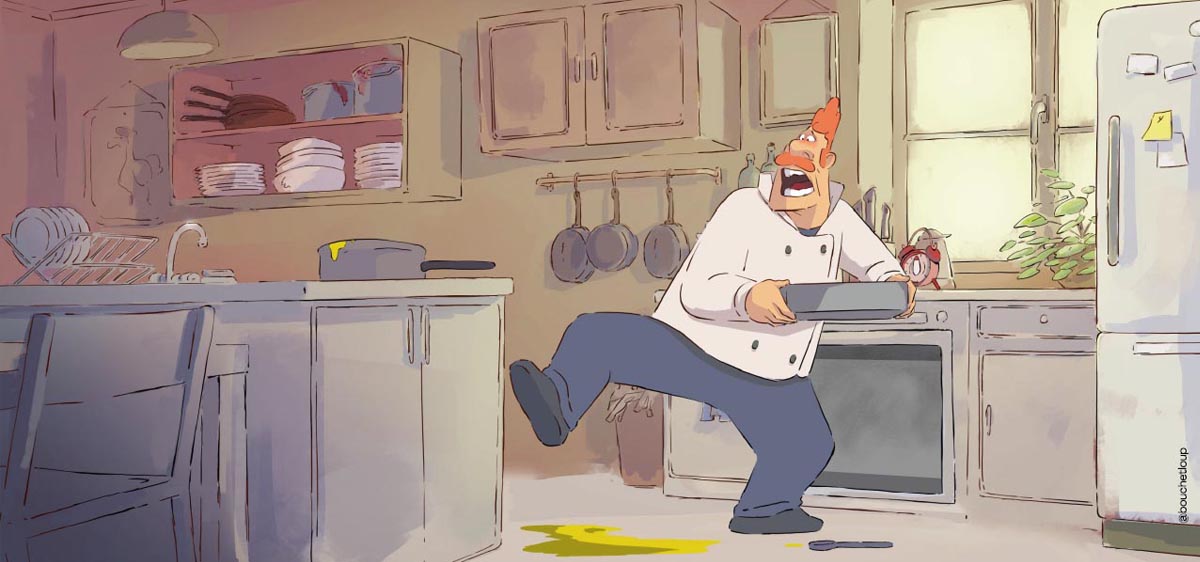
Advantages of Visual and Intuitive Tools in 2D Animation
-
Ease of Use:
These tools allow animators to create animations directly, without needing deep technical knowledge, reducing learning time and increasing production efficiency. -
Enhanced Creativity:
Since visual tools display changes in real time, animators can quickly test ideas and make adjustments, fostering creative exploration and faster iteration. -
Reduced Human Error:
By providing direct visual feedback, these tools help identify inconsistencies or mistakes in movement and settings, minimizing errors during animation production. -
Increased Production Speed:
Animators can quickly test movements, adjustments, and sequences, leading to faster animation production. -
Easier Learning Curve:
For beginners, visual and intuitive tools offer an ideal learning environment, allowing them to understand animation processes gradually through graphical representations rather than abstract technical parameters.
TVPaint Animation 12 – Key Updates and Features
Enhanced Brush and Inbetweening Tools:
With pre-configured brushes or brushes you create yourself, you can craft unique animations. The Light Table allows you to quickly draw inbetweens or generate them automatically via Puppet Layers, streamlining the frame-by-frame animation process. Animations can be colored efficiently using smart and fast CTG layers, and projects can be exported via TVPaint Converter without closing the software.
Workflow Integration:
From storyboarding to compositing, TVPaint is packed with inspiring and efficient tools that let animators focus on the creative aspects of animation rather than technical hurdles. Many tools have been completely redesigned or enhanced, including new and rewritten transformation algorithms, which significantly help in maintaining the visual quality of your images during modifications.
Dual Papers System:
The new Dual Papers system enables the creation of multi-textured brushes by combining two different paper surfaces. This feature allows animators to design complex and textured brushes for drawing and animation, useful for artworks requiring specific details or textures. It provides digital artists with powerful and versatile tools to create unique effects and distinctive visual styles in their animations.
New Selection Brush and Updated Image Library:
TVPaint 12 introduces a Selection Brush tool, improving workflow efficiency, and the Image Library has been updated for better asset management and access.
Focus on Traditional Animation Principles:
TVPaint is developed with traditional animation workflows in mind. Its Brush Engine and tools are designed to encourage the creation of organic-looking animations and projects with strong visual identity. The new features in TVPaint Animation 12 continue this philosophy, providing enhanced creative control while staying true to frame-by-frame animation traditions.
TVPaint Animation 12 – System Requirements
Windows:
-
Windows 10
macOS:
-
Big Sur (11.0), Monterey (12.0), Ventura (13.0), Sonoma (14.0)
-
Native support for both Intel and ARM (Universal Binary) Macs
Linux:
-
Ubuntu 16.04+, Debian 8+, RedHat Enterprise Linux 7+, Fedora 19+
Hardware Requirements:
-
Processor: Any dual-core CPU
-
RAM: Minimum 8 GB (16 GB or more recommended)
-
Free Disk Space: 10 GB
-
Architecture: 64-bit
Performance Notes:
TVPaint Animation’s performance depends primarily on your CPU and RAM. There is no need for an expensive GPU to achieve smooth performance. Since version 11.7.2, TVPaint Animation runs natively on ARM-based Macs, as well as older Intel-based Macs.
Purchase Options:
-
TVPaint Animation can be purchased in 4 installments via PayPal’s “Pay in 4” service. Ensure that you are eligible for this option when checking out.
-
A free version is also available from the official website. It includes all Pro features, but exporting or saving projects is disabled.

Sadjad Jahangiri
![Verified]()